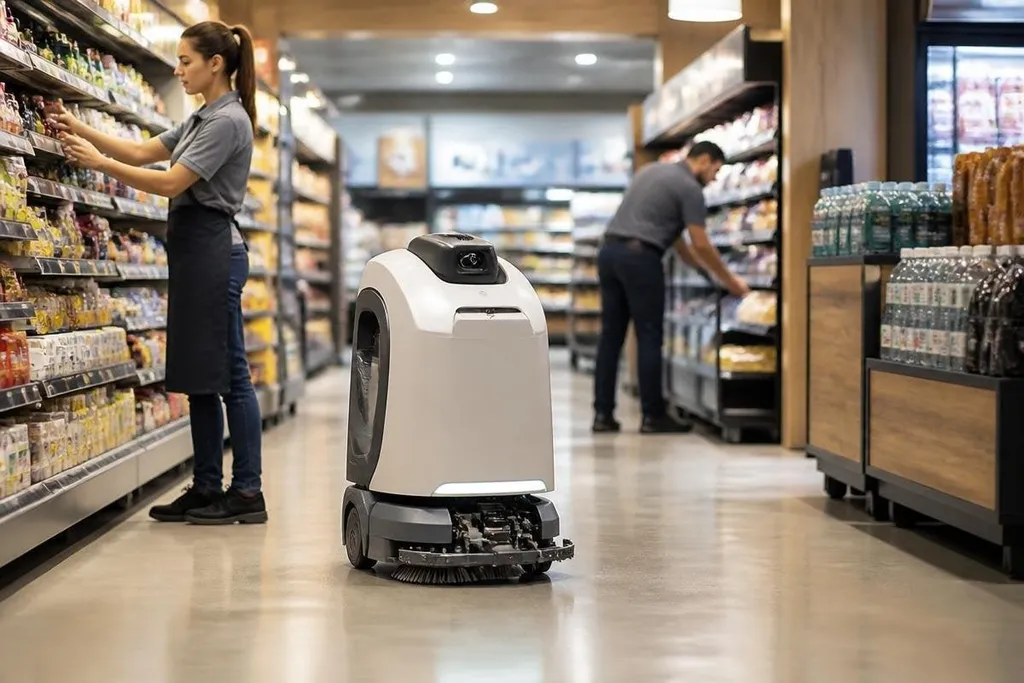
A retail robot can scan shelves, move stock, clean floors, or guide a shopper to an aisle. Its value depends on the task, the store layout, and the staff who handle the work around it.
The main question for a store manager is practical: does the robot remove repeated work without adding new problems?
Quick read
- Repeated tasks suit robots best, especially shelf checks and floor cleaning.
- People still handle exceptions, customer needs, repairs, and safety decisions.
- Cameras, cloud links, and moving machines create privacy, security, and cost risks.
Where robots help in a store
Retail work contains many jobs that follow the same path each day. A robot can scan product locations, check whether a shelf is empty, move goods from a stockroom, or clean a large floor during closed hours.
That work can give store staff more time for tasks that need judgment or direct contact with shoppers. A shelf-scanning robot may spot a missing product, but a staff member still needs to find the item, check the stock record, and decide what to do next.
Robots can also collect information at regular times. A mobile scanner may record shelf images, aisle conditions, or stock positions. The value comes from a clear next step: staff need a way to review the result and fix the issue before the next delivery or customer visit.
Guidance robots can answer simple location questions and point shoppers toward an aisle. They work best when the store map stays current. A moved display, blocked route, or temporary sign can send the robot to the wrong place.
Where the risks start
A store is a difficult place for a mobile robot. People stop without warning, children move at different heights, carts block routes, and boxes appear in places the robot did not expect.
Sensors can detect many obstacles, but staff still need a plan for faults and blocked paths.
Privacy needs the same care. Cameras may record shoppers, workers, product labels, and nearby screens. A store should decide what the robot records, how long it keeps the data, who can access it, and whether the task needs images at all.
A networked robot adds another access point to the store’s systems. The operator should limit its permissions, change default passwords, update its software, and separate the robot from payment systems where possible. A machine that scans shelves does not need access to every store computer.
That can reduce repeated walking while adding route checks, charging, cleaning, fault reports, and customer questions. The new work needs time and training, or the store may move labor around without cutting the burden.
The cost beyond the purchase price
The purchase price is only one part of the decision. A store may also need charging equipment, network changes, software fees, service visits, spare parts, floor changes, and staff time for daily checks.
A robot that stops during a busy period can cost more than its planned saving. The store needs a manual process for the same task, along with a clear point where staff stop waiting and take over.
Retail robot reports need to show the store task, the test date, and the point where staff took over. Robot24 can place those details beside named machines and trial results, so you can judge the claimed saving against the work employees still handle.
My view is that retail robots make sense first in quiet, repeated jobs where the result is easy to check. A machine that cleans a floor or records shelf conditions has a clearer role than one asked to manage a difficult customer exchange.
A buying checklist for store managers
Use this list before signing a purchase order:
- Define the task in one sentence and name the result staff should receive.
- Run a site test during normal opening hours, with shoppers, carts, and stock on the floor.
- Check the handoff: name the person who takes over when the robot stops or makes an error.
- Price the full system, including service, software, charging, network work, and staff time.
- Set data rules before cameras or microphones enter the store.
- Ask the supplier for repair times, spare-part access, software support, and an exit plan.
A small pilot can answer more than a staged demonstration if the store measures missed scans, blocked routes, staff time, customer complaints, and repair delays. The next purchase should depend on those records, not on how smoothly the robot moves for ten minutes.
For most stores, the sensible first step is one narrow task with a manual backup, a named owner, and a review date. If the robot cannot show a clear result under normal store conditions, the right decision is to wait.